
November 19, 2026
AI Receptionist for Dental Clinics: How It Answers, Books and Follows Up
Every dental practice knows the pattern. The phone rings while the front desk is checking in a patient. Someone calls at 7 PM with a toothache. A new patient fills in the website form on Sunday and books with another practice before anyone replies on Monday. An AI receptionist is built for exactly these moments. This guide explains what it actually does, how it fits your existing systems, and what to check before you set one up.
What an AI receptionist is (and is not)
An AI receptionist is a virtual assistant that answers patients by phone, website chat, text message or WhatsApp, in natural conversation. Unlike an old phone menu (“press 1 for appointments”), it understands what the caller wants and can act on it: check availability, book the appointment, answer questions and send reminders.
It does not replace your front desk team. It takes the repetitive, after-hours and overflow work off their plate, so they can focus on the patients standing in front of them.
What it can do for a dental practice
1. Answer every call and message, day and night
Missed calls are missed patients. The AI picks up when your team is busy, at lunch, after hours and on weekends, and responds to website chats and texts in seconds instead of hours.
2. Book, reschedule and cancel appointments
Connected to your scheduling system, it offers real open slots, books the patient in, and handles reschedules and cancellations. When an appointment opens up, it can offer the slot to patients on a waiting list.
3. Handle new patient intake
It collects the basics before the first visit: name, contact details, reason for the visit, preferred times and insurance provider, and can send the intake forms ahead of time so check-in is faster.
4. Answer common questions
Opening hours, location and parking, which services you offer, whether you accept a particular insurance plan, what to expect at a first visit, and how to prepare for a procedure. You decide exactly what it says, based on your own practice information.
5. Reduce no-shows with reminders and follow-ups
Automatic confirmations and reminders by text or email, easy rescheduling by reply, and follow-ups for patients who are due for a cleaning or who left treatment unscheduled.
6. Triage urgent cases to a human
When a patient describes severe pain, swelling, bleeding or an injury, the AI does not try to give medical advice. It follows the rules you set: flag the case as urgent, offer the earliest emergency slot, or pass the call straight to your on-call number.
Want to see how this would work in your practice? Tell us about your clinic and we will map out which calls and messages an AI receptionist could handle for you, and how it would connect to your systems.
A typical conversation
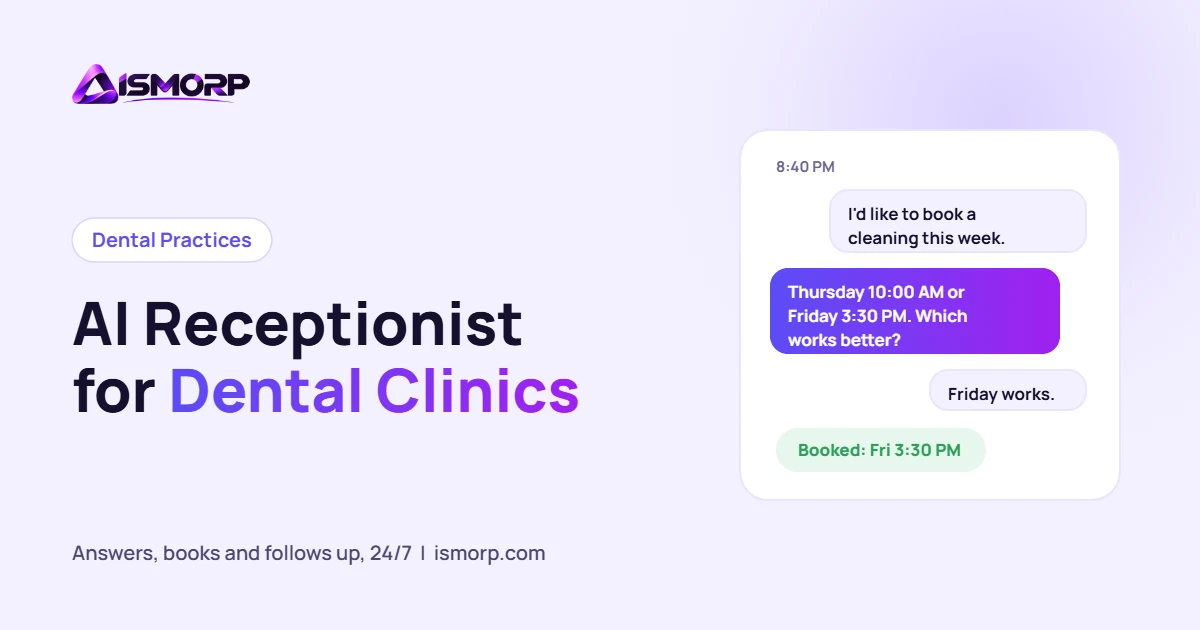
Patient (8:40 PM, website chat): Hi, I’d like to book a cleaning. Do you take Delta Dental?
AI receptionist: Yes, we accept Delta Dental. I have Thursday at 10:00 AM or Friday at 3:30 PM. Which works better for you?
Patient: Friday works.
AI receptionist: You’re booked for Friday at 3:30 PM. I’ve sent a confirmation and new patient forms to your email, and you’ll get a reminder the day before.
The front desk sees the new booking in the schedule the next morning, with the patient’s details already filled in. The insurance answer and the available times above come from your own settings and calendar, not from the AI guessing.
How it connects to your practice
- Your scheduling or practice management software, so it books into real availability.
- Your phone line, either answering overflow and after-hours calls or every call first.
- Your website chat, SMS and WhatsApp, using the same knowledge and rules everywhere.
- Your team’s inbox or task list, so anything it cannot handle arrives as a clear summary for a human to follow up.
What to check before you set one up
Privacy and compliance
Patient information is protected health information. In the US, any vendor that handles it on your behalf should sign a Business Associate Agreement, and the setup should follow HIPAA requirements for storage, access and data retention. Ask exactly where conversations and patient data are stored, who can see them, and how long they are kept.
Clear hand-off to humans
The AI should always be able to transfer to a person or take a message, and patients should be able to ask for a human at any time. Define which situations always go to your team.
Your voice and your rules
It should speak the way your practice speaks, use only the information you approve, and never make clinical recommendations.
Reporting
You should be able to see how many calls and messages it handled, how many appointments it booked, and which questions it could not answer, so you can keep improving it.
Common concerns
- “Patients will hate talking to a robot.” Most patients care about getting a quick, correct answer and an appointment. A natural voice, short replies and an easy path to a person make the difference.
- “It will make mistakes.” Keep its job narrow at first, such as answering FAQs and booking routine appointments, and review the conversations weekly during the first month.
- “It’s complicated to set up.” A focused first version can go live quickly: one channel, your FAQs, and booking. Add channels and tasks once it is working well.
Where to start
- Look at where you lose patients today: missed calls, after-hours enquiries, slow form replies or no-shows.
- Pick one job for the AI to do first, usually answering after-hours calls and messages and booking appointments.
- Write down your FAQs, booking rules and urgent-case rules.
- Launch, review the first few weeks of conversations, and expand.
Get an AI receptionist built for your practice
We build AI receptionists for dental clinics and other AI agents for businesses: connected to your schedule, trained on your practice information, with clear hand-off to your team. Tell us about your clinic using the form below and we will show you what the first version would look like.
Have a Project in Mind?
Let's turn your idea into a high-performing digital product. Tell us a little about it and we'll reply with an approach, a timeline and a fixed price for the first milestone.
- Reply within a few hours
- NDA available on request
- All code and IP is yours
Prefer email? ismorpp@gmail.com
Get a Project Estimate
Tell us what you need. We reply within a few hours.